• Cloud Controller
      WLAN Gateway - Controller
      Access Point
      IoT
      Edge Gateway
      SD-WAN Gateway

ecCLOUD Cloud Controller

Menu

Important: Cloud will proceed upgrade on August 29 at 6AM (UTC +8) and it will take approximately 3 hours to complete. The services will continue to operate without any disruption during the upgrade period.

What’s New?

Enhancements & Fixes:

  1. NVR Camera Credentials Management

    • NVR scan now provides a dialog for users to input the updated username and password for cameras before performing a scan, ensuring accurate detection and connectivity.
  2. Warranty Tracking System

    • Device warranty information is now visible at both the Cloud-level Device List and Device-level Dashboard.
  3. Metrolinq Series – Link Distance Removal

    • Link distance information for Metrolinq series devices has been removed from the cloud interface for accuracy and simplification.
  4. Device Reboot via API

    • Devices can now be rebooted remotely through the API for improved automation and integration.
  5. AP Web UI Access Issue

    • Fixed an issue where the AP’s web interface could not be accessed if the management VLAN was enabled and then disabled.
  6. Radio Client Mode Configuration – EAP112/EAP111

    • Resolved a problem where settings could not be applied when radios were configured in Client Mode.
  7. WDS Traffic Flow Issue

    • Fixed an issue where WDS links successfully established a connection but failed to pass traffic.
2025.08.27

Recent Cloud Updates

This article is to notify on what information is needed to be provide and how to make the payment with credit card

  1. Information needed to be provided to Sales Representative when requesting voucher:
  • Cloud ID
    Kindly refer below link to check Cloud ID
    https://support.edge-core.com/hc/en-us/articles/7328751951129-How-to-find-Cloud-ID-Site-ID-and-Device-ID
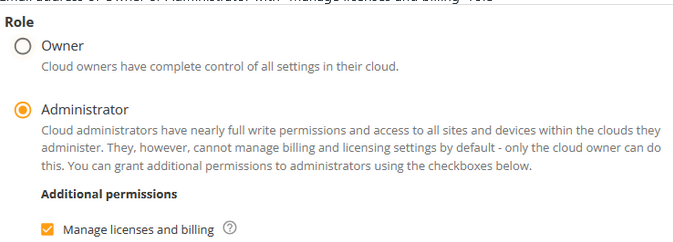
  • Email address of Owner or Administrator with “Manage licenses and billing” role

    2. Once these information has been provided requester will receive an email with link to be redirected to Cloud’s Credit Card Payment page

    3. Once redirected to Credit Card Payment page, click on BUY and fill in the necessary fields

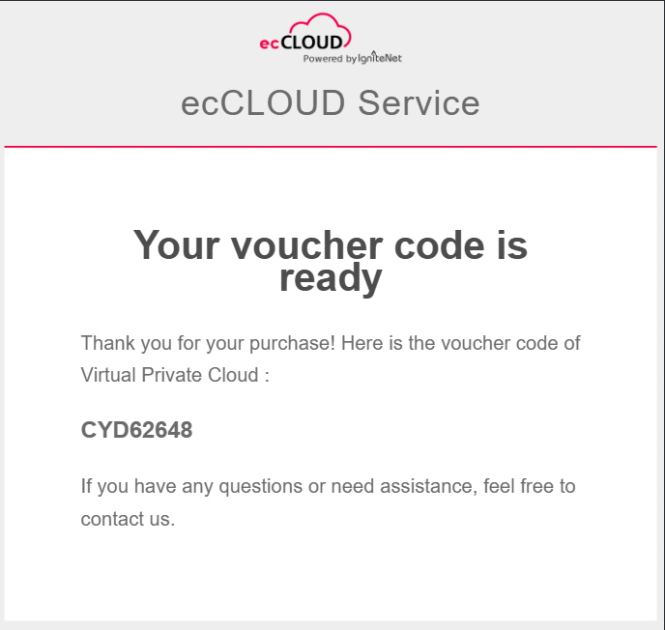
    4. After the payment is successful, there are three ways to check the voucher code email will be sent promptly

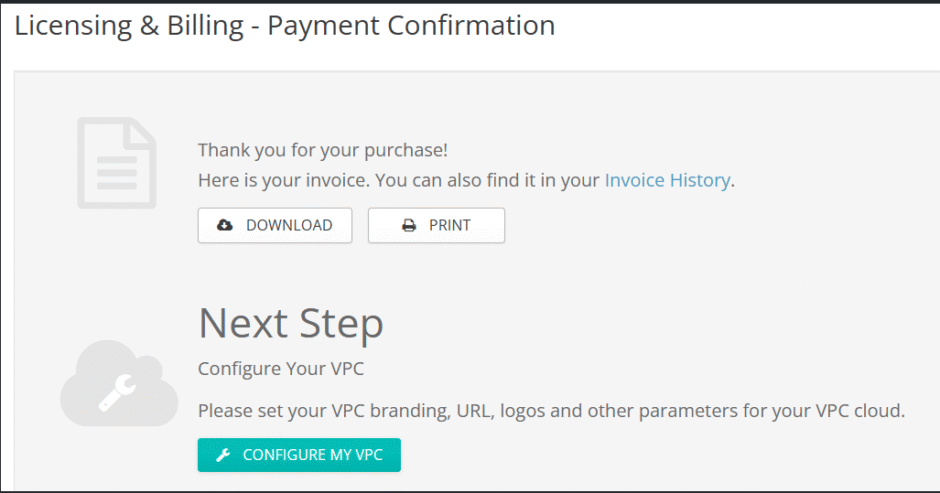
    • Under License & Billing, you may download or print the voucher code
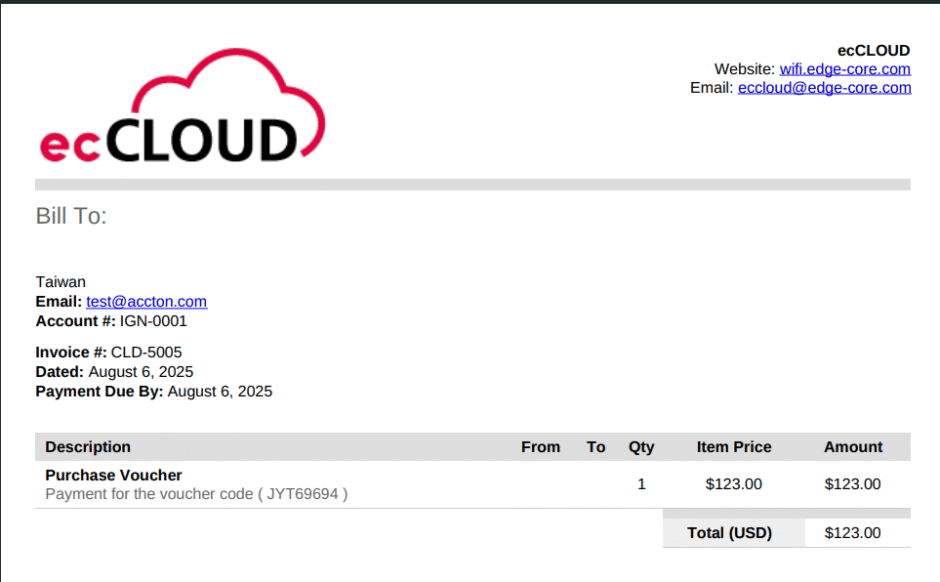
    • Under INVOICE HISTORY in License & Billing page, an invoice can also be downloaded showing the voucher code
2025.08.08

Voucher Purchasing Related Information

Important: Cloud will proceed upgrade on August 11 at 6AM (UTC +8) and it will take approximately 3 hours to complete. The services will continue to operate without any disruption during the upgrade period.

What’s New?

Enhancements & Fixes:

  1. On-Demand Payment for Voucher Purchases

    • Added support for on-demand payment using credit card when purchasing vouchers. 
  2. EAP112 – HALow Client Mode

    • EAP112 now supports HALow client mode for long-range, low-power wireless connectivity.
  3. Aprecomm On-Premise Setup Support

    • Added capability to deploy Aprecomm in an on-premise environment.
  4. EAP111 – Firmware v12.6.7 Support

    • EAP111 is now compatible with firmware version 12.6.7.
  5. NVR – New License Framework

    • Introduced a new licensing framework for NVR management.
  6. NVR – IP Camera Upgrade Support

    • NVR now supports upgrading connected IP cameras directly.
  7. Minimal Allowed Signal – Site Level

    • Minimal allowed signal threshold configuration is now supported at the site level.
  8. ECS4120 – LCAP Configuration Removal

    • Fixed an issue where LCAP configuration was removed after adding the device to the cloud.
  9. Configuration Failure – Loopback Detection

    • Resolved configuration failures caused by loopback detection being enabled across all switch models.
  10. Port VLAN Access Mode – Untagged Selection

    • Fixed an issue where Access Mode VLAN ports were not automatically set as untagged, causing configuration errors.
  11. SP W2 AC1200 – Band Steering Error

    • Resolved an issue where changing operating mode to Client WDS triggered a band steering error.
  12. VPC Cloud – Streaming Issue

    • Fixed an issue where streaming did not work on VPC cloud instances.
  13. Japanese Translation Adjustments

    • Updated Japanese translations for Cloud, Site, Device, and Group menus for improved accuracy.
  14. HALow Interface – Channel & Bandwidth Display

    • Corrected an issue where the HALow interface displayed incorrect channel and bandwidth information when operating in Japan.
2025.08.08

Recent Cloud Updates

🟢 [Status Update – 18:00]:

We would like to inform you that the firmware upgrade issue on the ecCLOUD platform has been successfully resolved.

✅ Current Status:
All services have now been restored. Firmware upgrades via ecCLOUD are functioning normally.

———————————————————————————————————————————-

We would like to inform you of an unexpected issue currently affecting the firmware upgrade functionality on the ecCLOUD platform.

🔧 Issue Description:

Due to a corruption in the cloud-based firmware database, firmware upgrades cannot be performed via ecCLOUD at this time.

🕒 Impact Timeframe:

13:00 – 18:00 (GMT+8)
The issue is under urgent investigation by our engineering team. We are working diligently to restore full functionality as soon as possible.

📌 Temporary Workaround:

If immediate firmware upgrades are required, we recommend performing them manually via local device access until the ecCLOUD service is restored.

We sincerely apologize for the inconvenience this may cause. If you have any questions or require further assistance, please do not hesitate to contact our support team.

Thank you for your understanding and continued support.

Best regards,
ecCLOUD Support Team

2025.07.11

Cloud Maintenance

Important: Cloud will proceed upgrade on July 4 at 6AM (UTC +8) and it will take approximately 3 hours to complete. The services will continue to operate without any disruption during the upgrade period.

What’s New?

Enhancements & Fixes:

  1. Updated EAP105 Icon in Topology

    • Refreshed device icon for better visual clarity in the network topology view.
  2. Indian Cloud – AuthPort Support

    • The Indian cloud instance now supports authentication via AuthPort.
  3. ECS5500 Support in ecCLOUD

    • ecCLOUD now officially supports ECS5500 series switches.
  4. Live Streaming Support with SmartNVR

    • ecCLOUD now enables live video streaming for managed cameras with SmartNVR.
  5. Add-on VWE Support for EAP111
    • VWE (Visual Wireless Experience) add-on is now available for EAP111, enabling advanced wireless insights and performance metrics.
  6. Separate Terms & Conditions for Wi-Fi 5 and Wi-Fi 6 Hotspot

    • Hotspot service now supports distinct Terms & Conditions based on Wi-Fi generation, improving clarity for users.
  7. SFP Port Data Display on ECS4100

    • Resolved an issue where no data was shown when connected via SFP ports.
  8. Minimum Signal Threshold Configuration – EAP111/EAP112

    • Fixed an issue where the minimum allowed signal configuration was not functioning as expected.
  9. ECS2100 Synchronization Issue

    • Addressed a syncing problem affecting ECS2100 series switches
  10. Port Forwarding Deletion Issue – WiFi6
    • Fixed an issue where users were unable to delete Port Forwarding rules on WiFi 6 devices at device level.
2025.06.16

Recent Cloud Updates

We would like to inform you that ecCLOUD will undergo scheduled maintenance to upgrade the PostgreSQL connection settings. This upgrade is part of our continuous effort to enhance performance, scalability, and security.

Maintenance Window:

  • Date: 2025/05/28
  • Time: 8:30 – 9:30 (UTC +8)

Impact:

During this window, users may experience brief interruptions in access to ecCLOUD services. We recommend saving your work and logging out before the maintenance begins.

What’s Changing:

  • Optimization of PostgreSQL connection parameters for better load handling
  • Improved connection pooling and timeout settings
  • Enhanced monitoring and failover capabilities

We appreciate your patience and understanding as we work to improve the reliability of our platform.

If you have any questions or need further assistance, please contact our support team.

Thank you for using ecCLOUD.

ecCLOUD Support Team

2025.05.23

Cloud Maintenance

Important: Cloud will proceed upgrade on May 20 at 6AM (UTC +8) and it will take approximately 3 hours to complete. Services will continue to operate without any disruption during the upgrade period.

What’s New?

Enhancements & Fixes:

  1. Release v12.6.5 for all WiFi 6 Models
  2. Camera management support:
    • Introduced enhanced camera management capabilities
    • Users can now view and manage video streams directly via the mobile APP, providing greater convenience for surveillance monitoring. (Currently supports iOS)
  3. OpenRoaming with WPA3-Enterprise:
    • Enhanced security and seamless roaming through WPA3-Enterprise support.
  4. MQTT Protocol Support:
    • Now supported for all WiFi 6 & 7 models
  5. OpenRoaming Venue Type Adjustment:
    • Fine-tuned venue type settings for better compatibility and roaming performance.
2025.05.16

Recent Cloud Updates

Important: Cloud will proceed upgrade on May 2 at 6AM (UTC +8) and it will take approximately 3 hours to complete. The services will continue to operate without any disruption during the upgrade period.

What’s New?

Enhancements & Fixes:

  1. Custom Branding Support
    • Logo in reports will follow the customized image set by the customer
  2. Page Visibility Control
    • VPC owners can now choose to hide specific pages such as:
      • Latest News
      • Add-on Licensing & Billing
      • Advertisements
  3. Cloud Switch Restriction
    • New setting allowing VPC owners to enable or disable the ability for cloud users to switch between clouds
  4. Experience Plan Activation
    • VWE score will now correctly appear after activating the experience plan
  5. MQTT Validation
    • Fixed an error related to MQTT validation
2025.04.30

Recent Cloud Updates

We would like to inform you that the ecCLOUD platform will undergo scheduled maintenance as part of our ongoing commitment to performance improvement and security enhancement.

Maintenance Window:
📅 2025/04/18
🕒 6:30 (UTC+8)

Impact:
During this maintenance window, access to ecCLOUD services may be temporarily unavailable or experience intermittent disruptions. We recommend that you plan your activities accordingly.

Purpose:
This maintenance includes infrastructure upgrades and system optimizations to ensure continued reliability and performance of the ecCLOUD platform.

We apologize for any inconvenience this may cause and appreciate your understanding and support. If you have any questions or require further assistance, please do not hesitate to contact our support team.

Thank you for choosing ecCLOUD.

Best regards,
ecCLOUD Support Team

2025.04.17

Cloud Maintenance

Important: Cloud will proceed upgrade on March 28 at 6AM (UTC +8) and it will take approximately 3 hours to complete. The services will continue to operate without any disruption during the upgrade period.

What’s New?

Enhancements & Fixes:

  1.  MQTT Enhancements
    • Added support for MQTT interval configuration and radio MQTT push.
    • Improved UX for better user experience.
  2. OpenMesh Description

    • Enhanced the description for improved clarity.
  3. AuthPort Enhancements

    • Implemented a certificate expiry check to notify users if their certificate has expired.
  4. Dashboard Update

    • TX power is now displayed in the Live Status section for better visibility.
  5. AuthPort Traffic Quota Precision

    • Traffic quota usage will now display full precision values instead of rounding to the nearest integer.
  6. SSID Configuration Error

    • Fixed an issue where SSID for Open Roaming caused an internal error due to incorrect handling of non-boolean values.
  7. HaLow FCC Compliance

    • Updated the FCC channel list to align with regulatory requirements.
  8. 6GHz Network Filtering

    • Added a filtering option to the widget, allowing users to view and manage 6GHz networks more efficiently.
2025.03.19

Recent Cloud Updates

Important: Cloud will proceed upgrade on February 27 at 6AM (UTC +8) and it will take approximately 3 hours to complete. The services will continue to operate without any disruption during the upgrade period.

What’s New?

Enhancements & Fixes:

1. Matter UI Support for EAP111/EAP112 with v12.4.9

  • Added support for Matter UI on EAP111 and EAP112 models.
  • Enhancements improve compatibility and user experience with Matter-enabled devices.

2. New Aprecomm Trial Framework

  • Introducing a new trial framework for Aprecomm.
  • Users now receive a one-year free full license directly upon activation.

3. Report Font Modification

  • Adjusted the font style and formatting in reports for improved readability and consistency.
2025.02.18

Recent Cloud Updates

Important: Cloud will proceed upgrade on January 23 at 6AM (UTC +8) and it will take approximately 3 hours to complete. The services will continue to operate without any disruption during the upgrade period.

What’s New?

Enhancements & Fixes:

  1. ecCLOUD now supports EAP105
  2. Renamed “Wi-Fi 6” to “Wi-Fi 6 & Newer” in SITE MENU for improved clarity
  3. Improved quota accounting for client accounts in AuthPort
  4. Added an in-menu description within the Security Option when 6GHz Enabled is active, to provide clear guidance
  5. Fixed an issue preventing the addition of MAC ACL Rules for all switch models
  6. Resolved the incorrect wireless client count display under Wireless Clients for the 6GHz band
2025.01.16

Recent Cloud Updates